
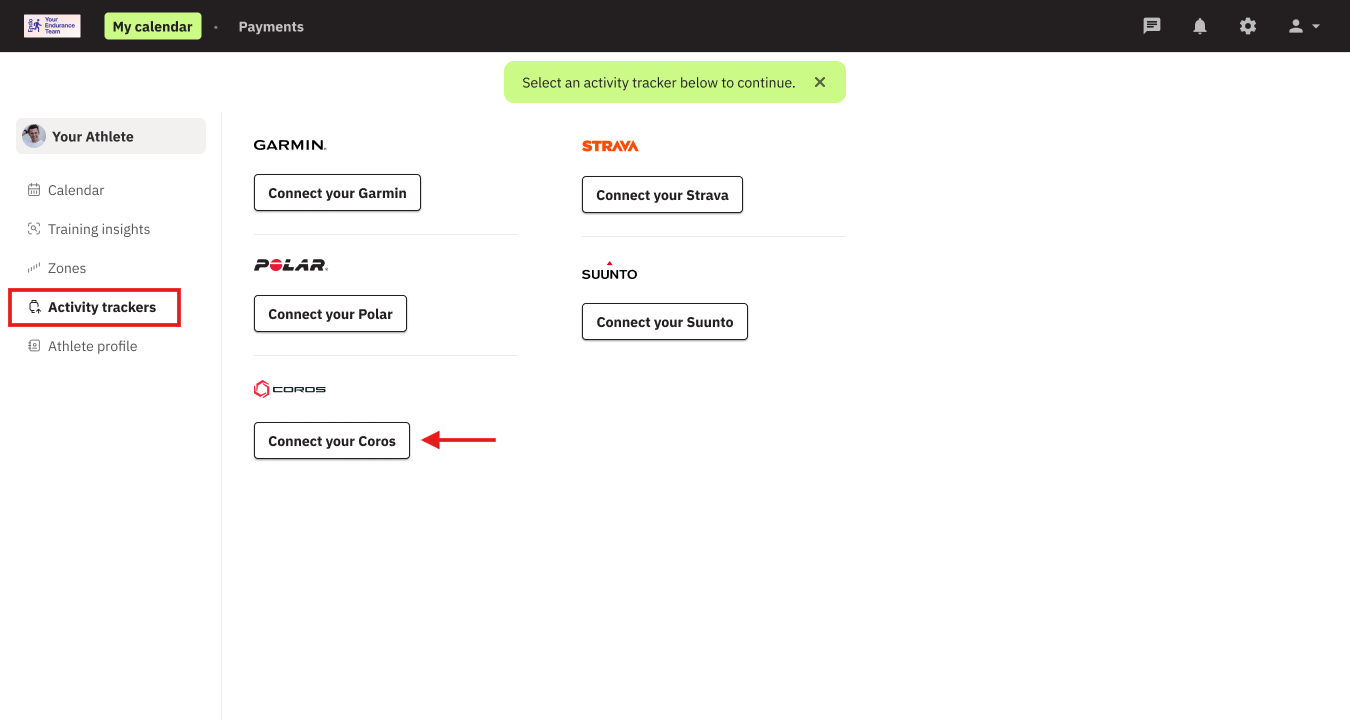
To connect your Coros device, log in to your EndoGusto account and follow the steps below:
- Navigate to Activity Trackers
- Click on Connect your Coros
- Log in to your Coros account and complete the process.
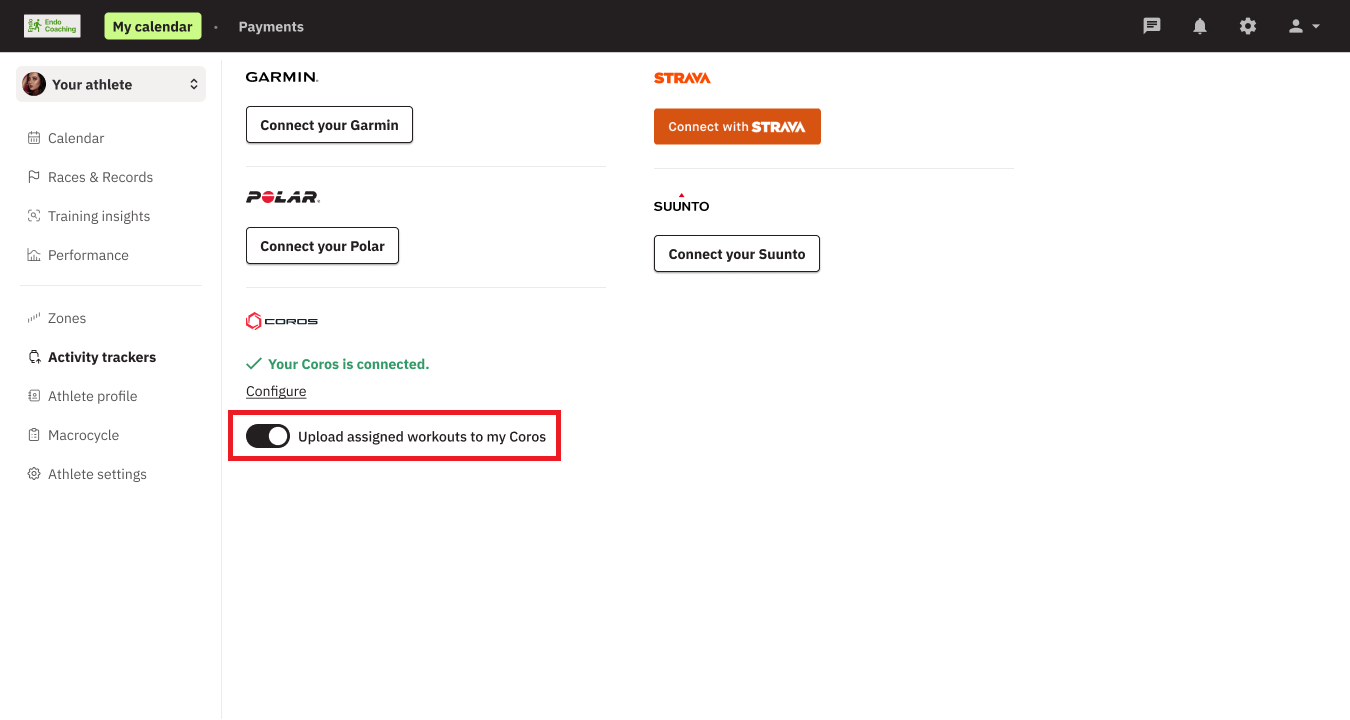
To have your upcoming assigned training from EndoGusto uploaded to your Coros account & watch, be sure to select Upload assigned workouts to my Coros.
Required One-Time Setup in the COROS App
When syncing an EndoGusto training plan to COROS for the first time, a one-time setup step is required in the COROS app.
After your first planned workout is sent from EndoGusto to COROS:
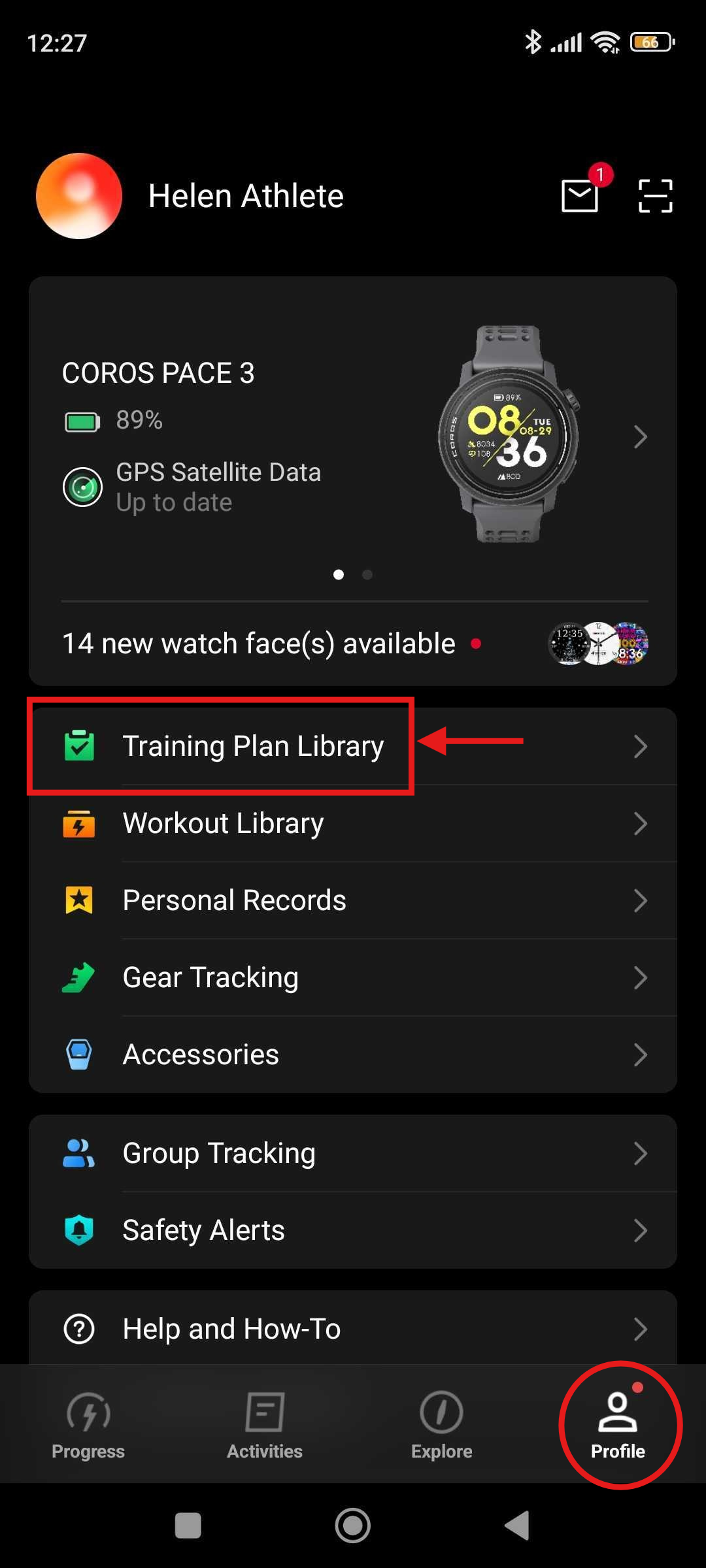
Open the COROS app
Go to Profile → Training Plan Library
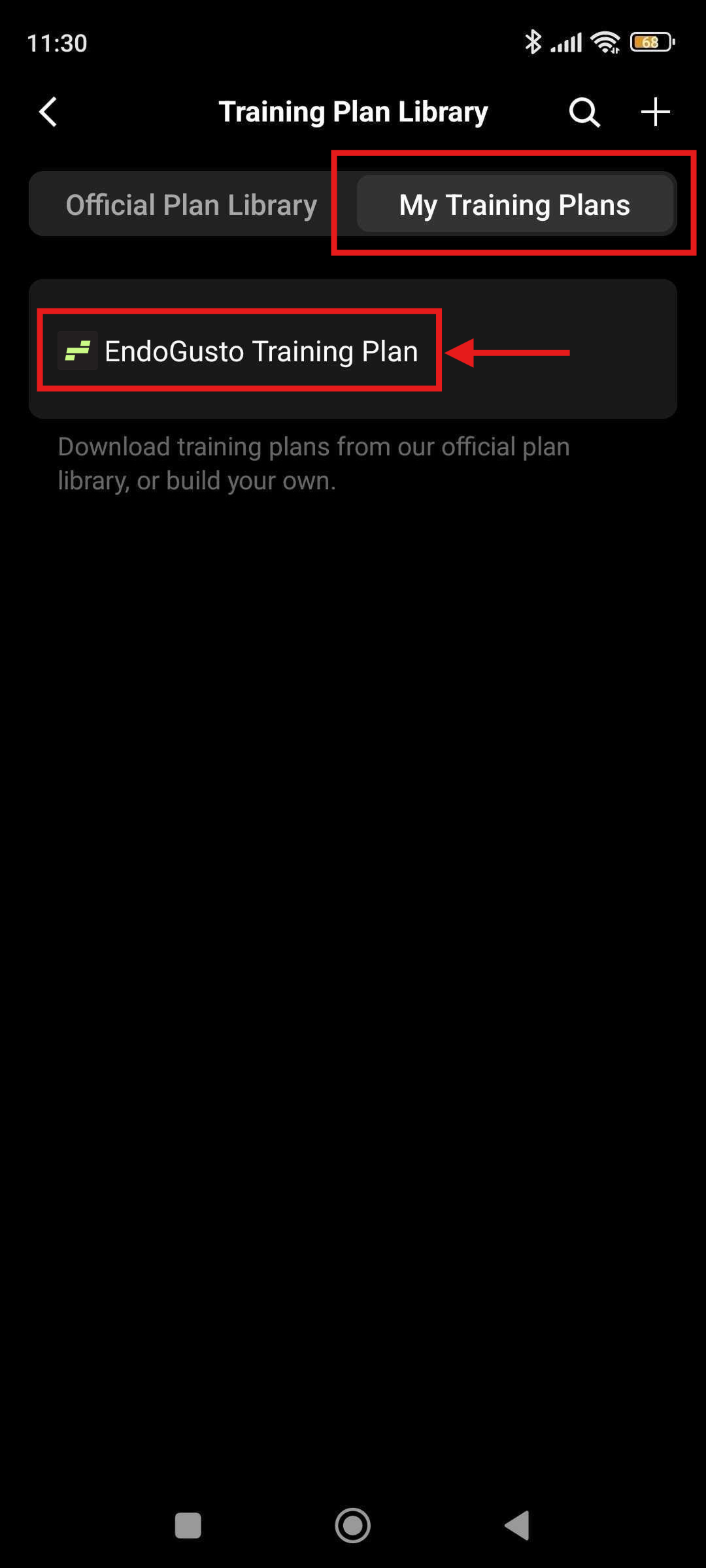
Select EndoGusto Training Plan under My Training Plans
Click on EndoGusto Training Plan
Tap Start Training Plan to apply it to your COROS calendar
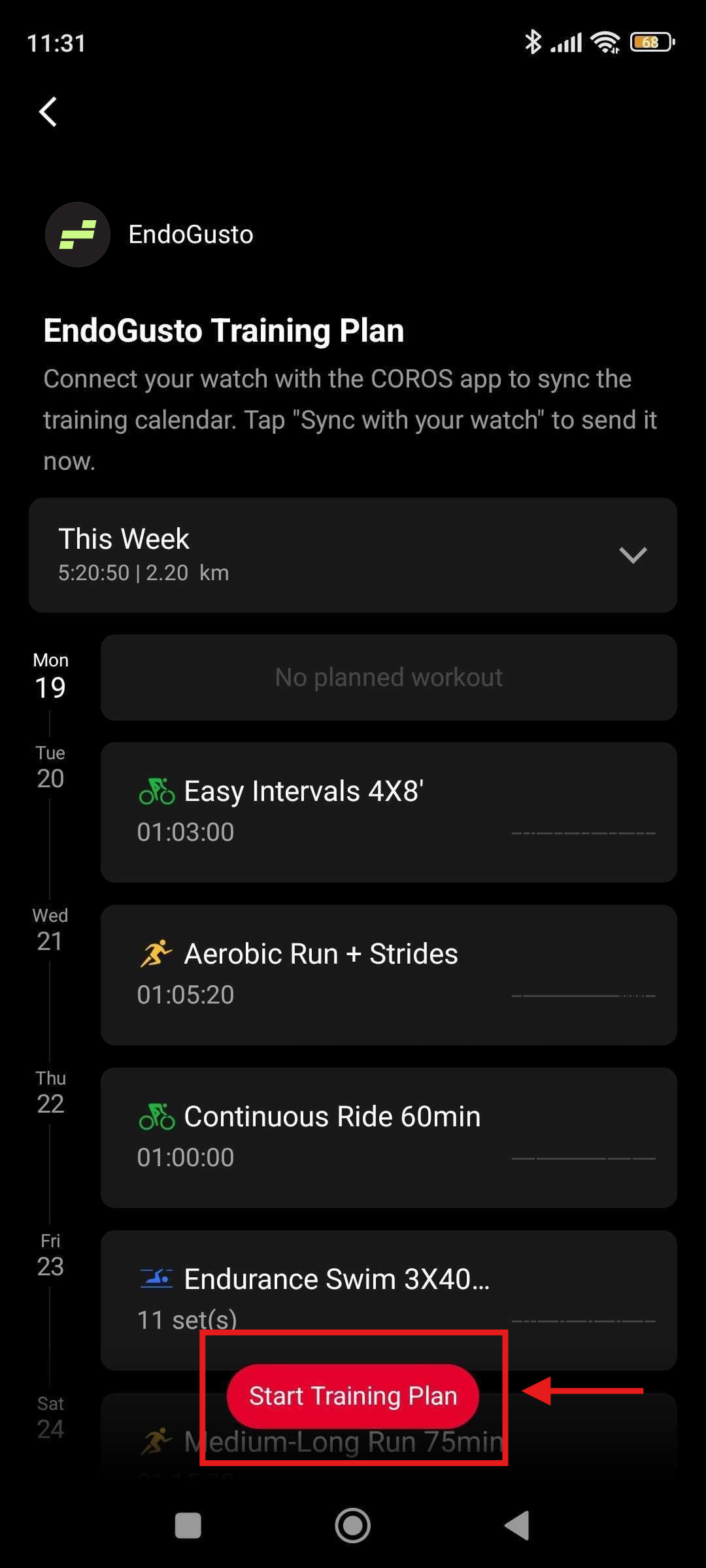
Once the training plan has been started, all upcoming workouts from EndoGusto will automatically appear on your COROS calendar and sync to your watch.
Sync Workouts to Your COROS Watch
After a training plan is active in your COROS calendar, workouts must be synced to your watch so they are available for tracking.
Sync from the COROS App to Your Watch
- Open the COROS app
- Go to Training Calendar
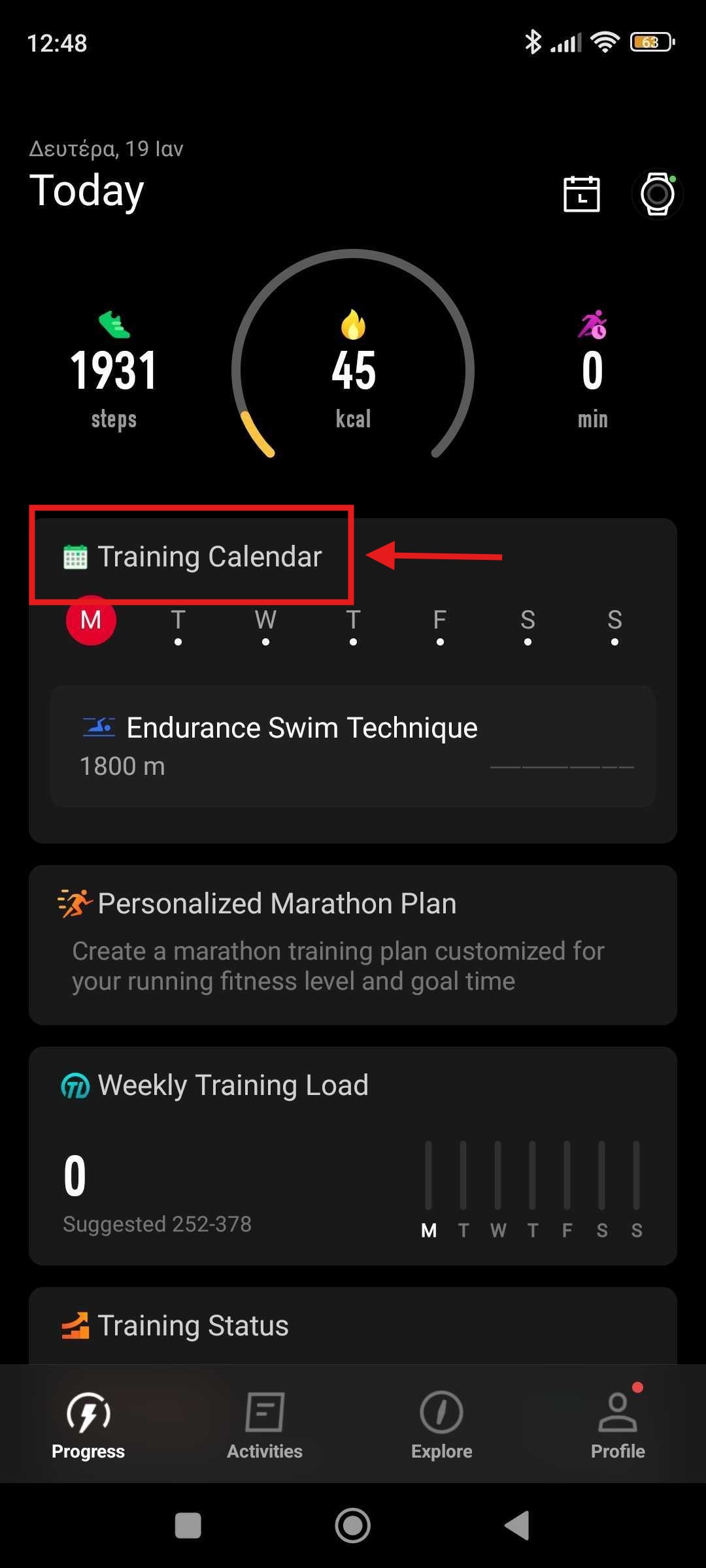
- Tap the three dots (•••) in the top-right corner
- Select Sync with your watch
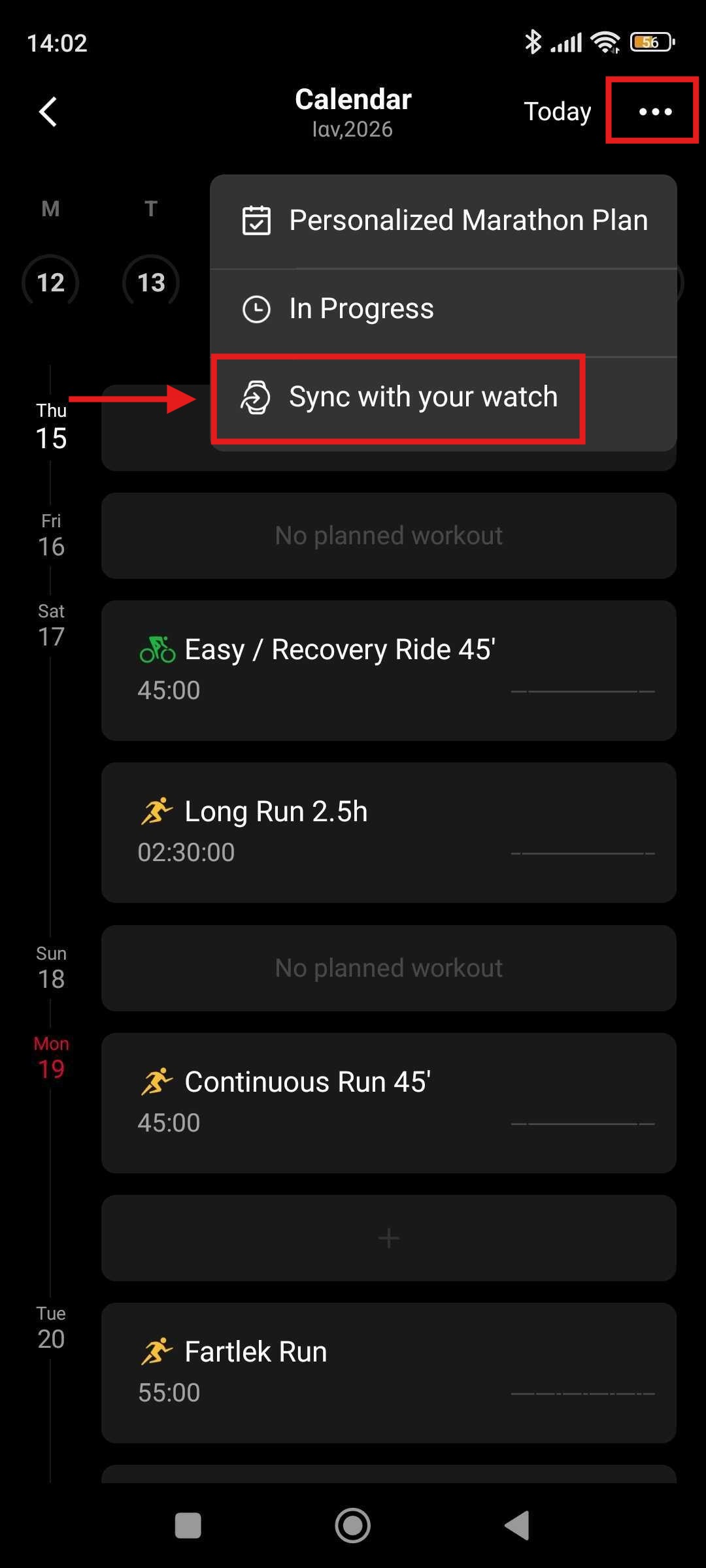
Once synced, the workouts will be available on your COROS watch for the scheduled day.
Exit an Active Training Plan
If you want to stop following an active EndoGusto Training Plan without removing it from your library, you can exit the plan from the COROS Training Calendar.
Open the COROS app
Go to Training Calendar
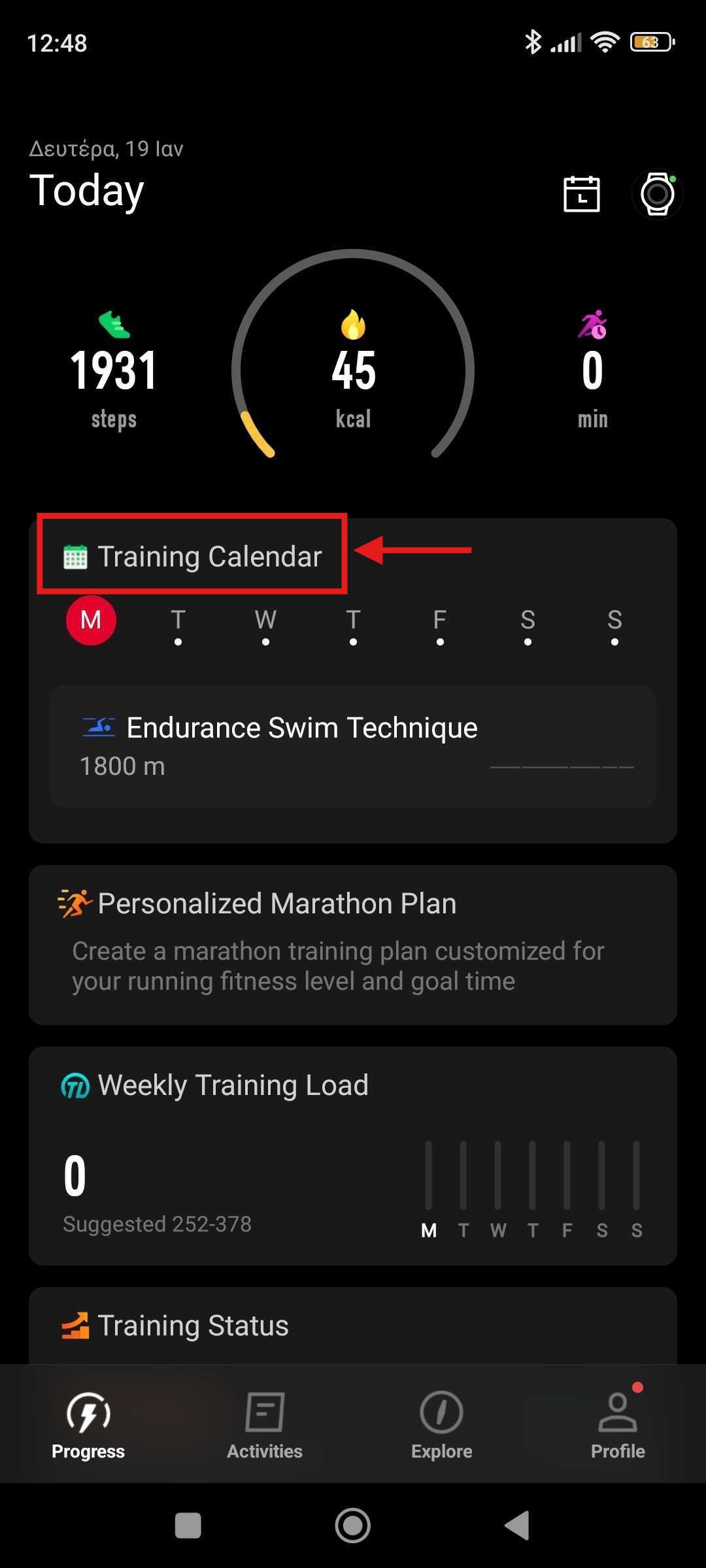
Tap the three dots (•••) in the top corner
Select In Progress
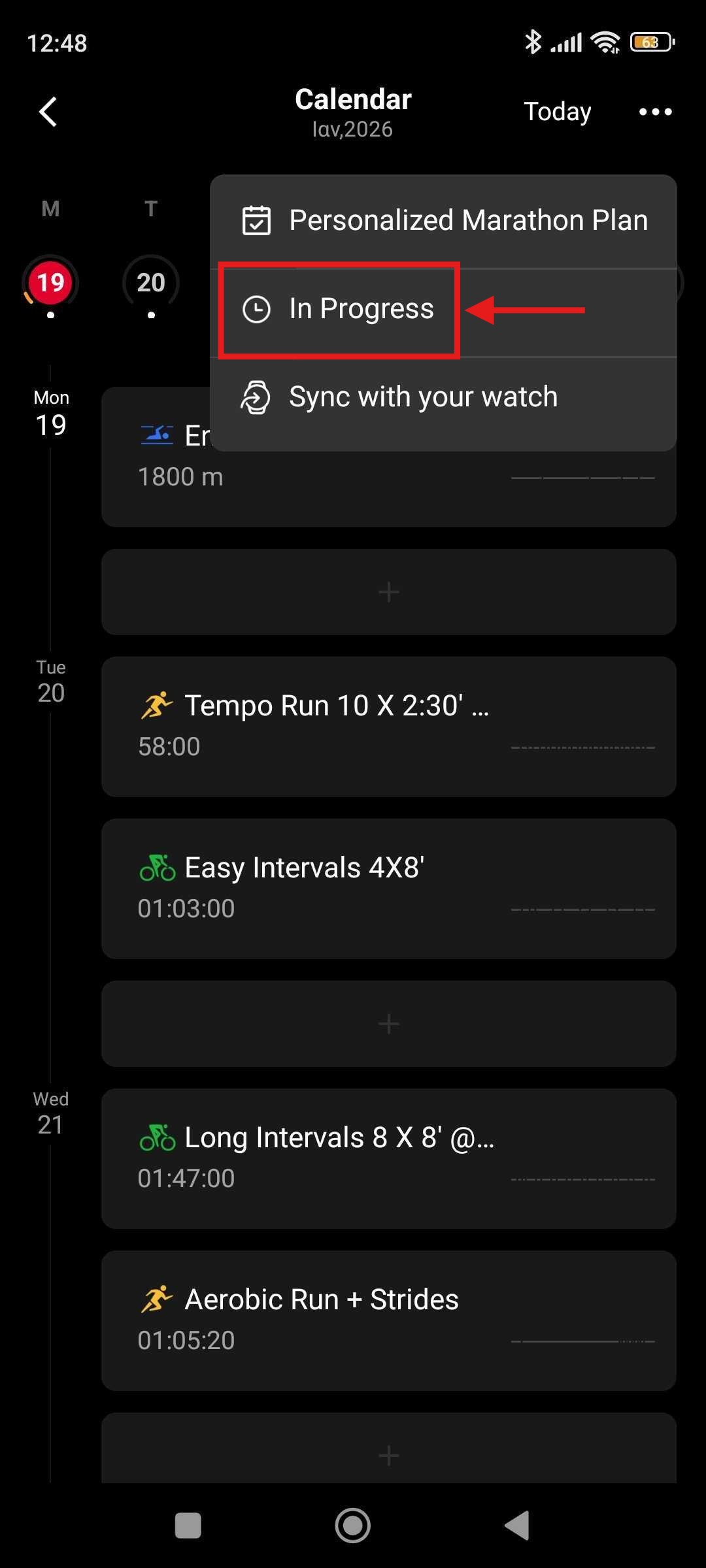
Choose the active training plan
Tap the three dots (•••) again
Select Exit Training Plan
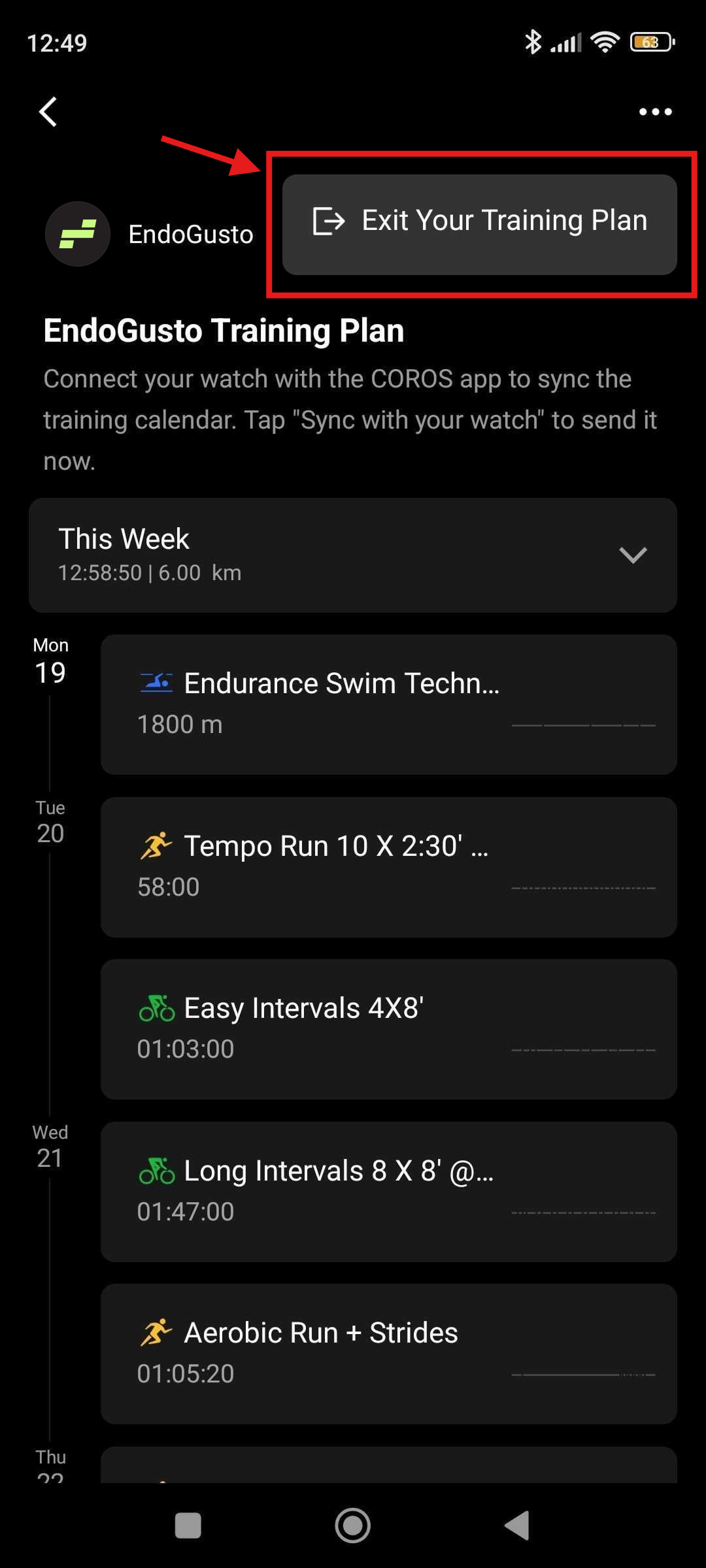
After exiting the plan:
- Upcoming workouts from that plan will no longer appear on your calendar
- The training plan remains saved in your Training Plan Library
Important Notes About Backfill
COROS supports historical backfill for up to 3 months of past activities when you connect your account.
When will a workout synchronize with a Coros watch?
When a coach has assigned a new workout on the calendar
When a coach has moved a workout to a different day on the calendar
When a coach has modified or removed a workout from the calendar
When an athlete has moved a workout to a different day on the calendar
When a manual or automated training program readjustment has taken place
When a new threshold is detected for the athlete
