
EndoGusto integrates with Wahoo devices, allowing you to sync your training data for precise performance analysis automatically. Here’s how to connect your Wahoo watch and start syncing your workouts in seconds.
Step 1: Open Your EndoGusto Account
Step 2: Navigate to Activity Trackers 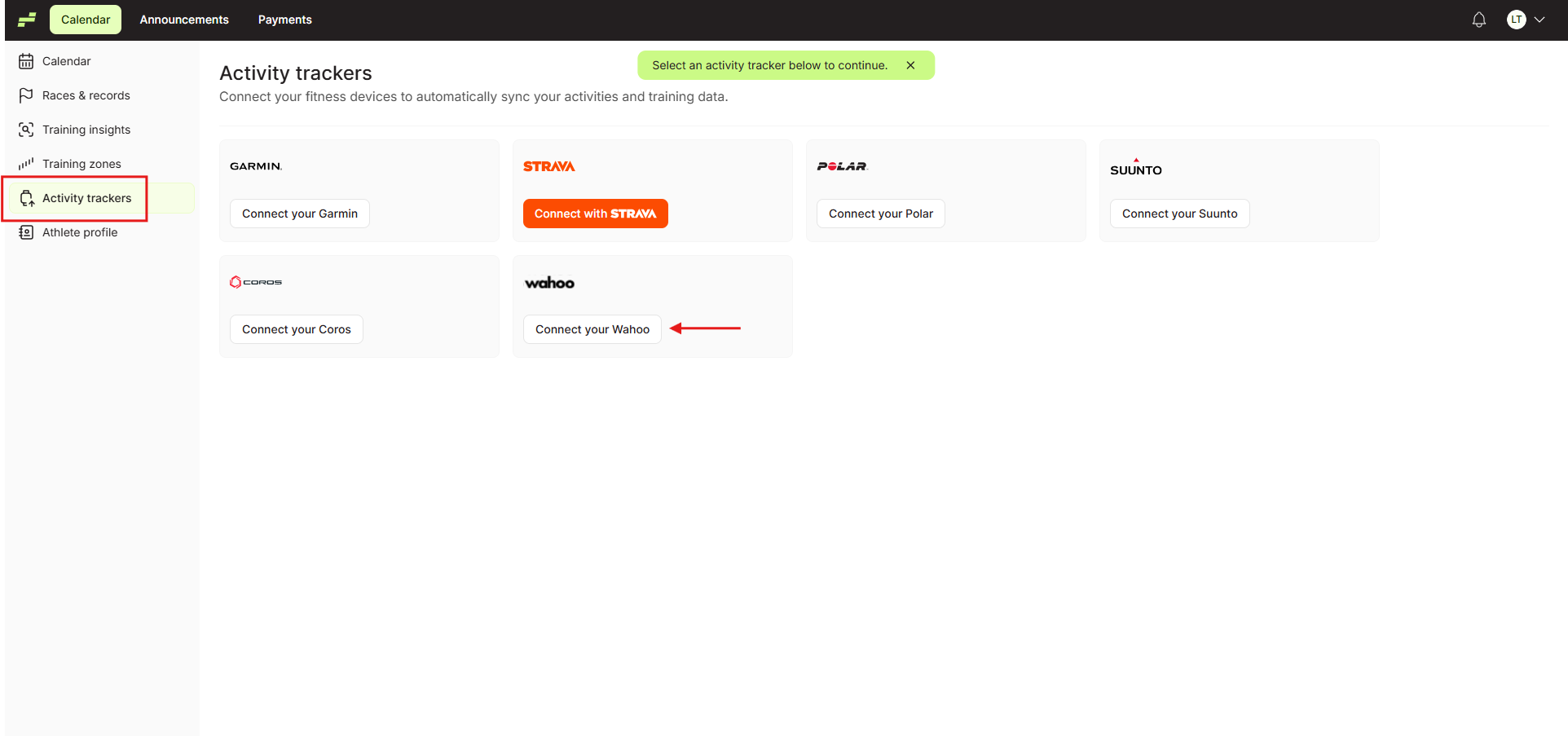
Step 3: Connect Your Wahoo Account
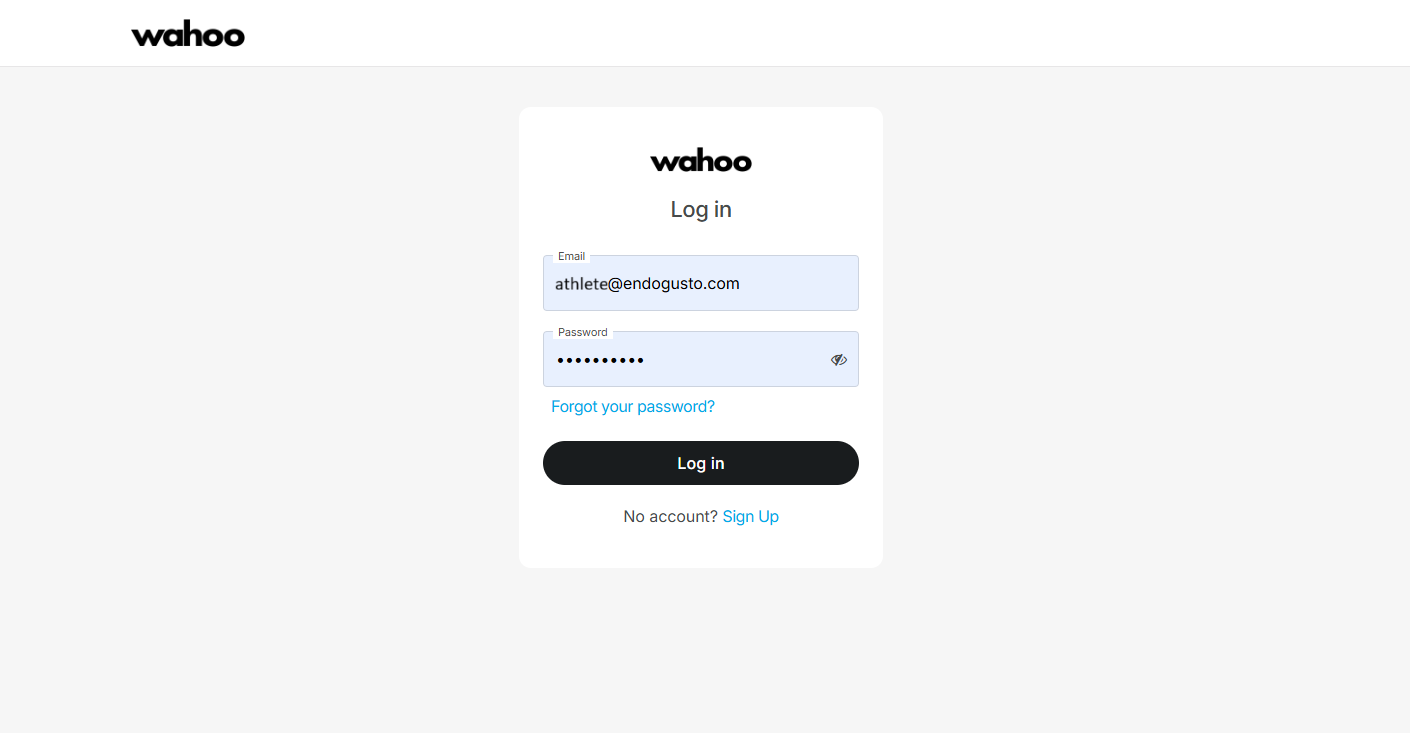
Step 4: Authorize the Sync 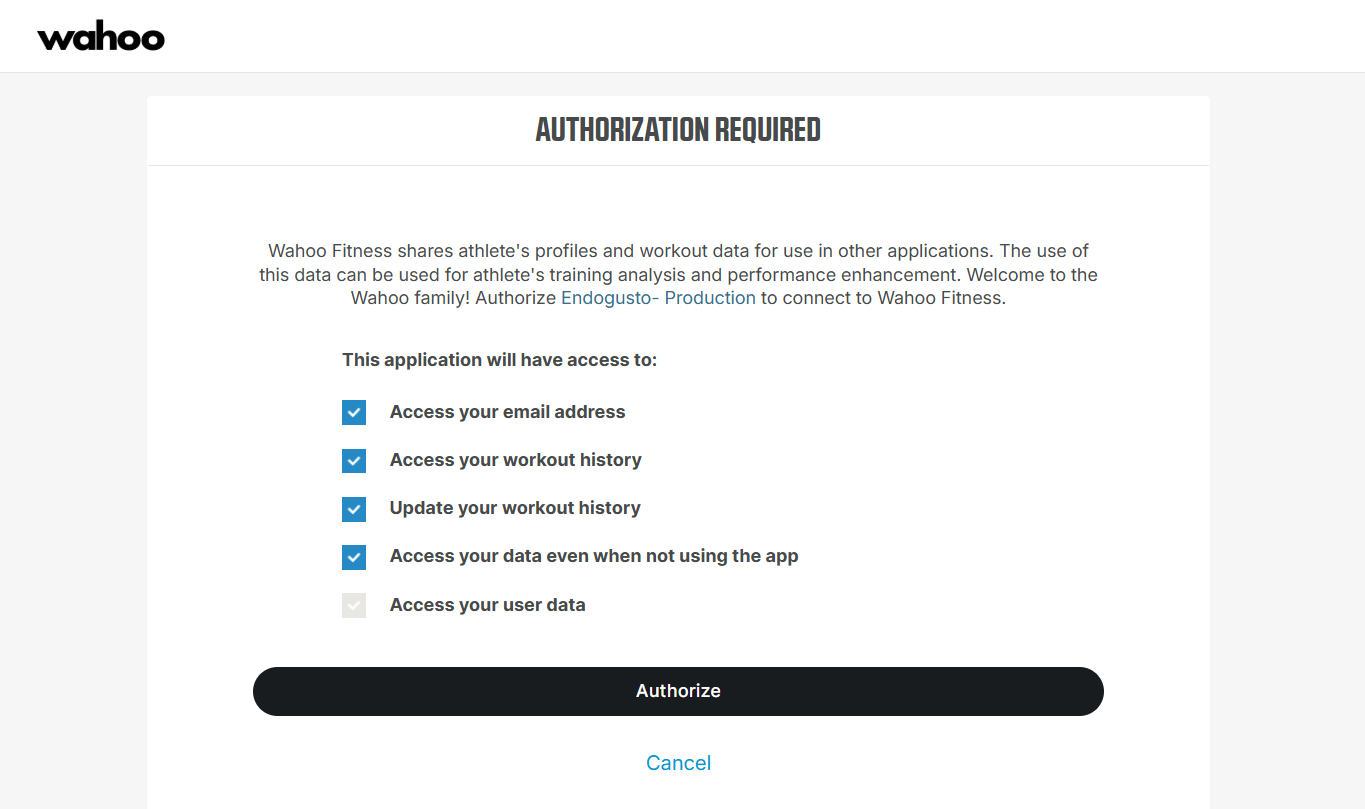
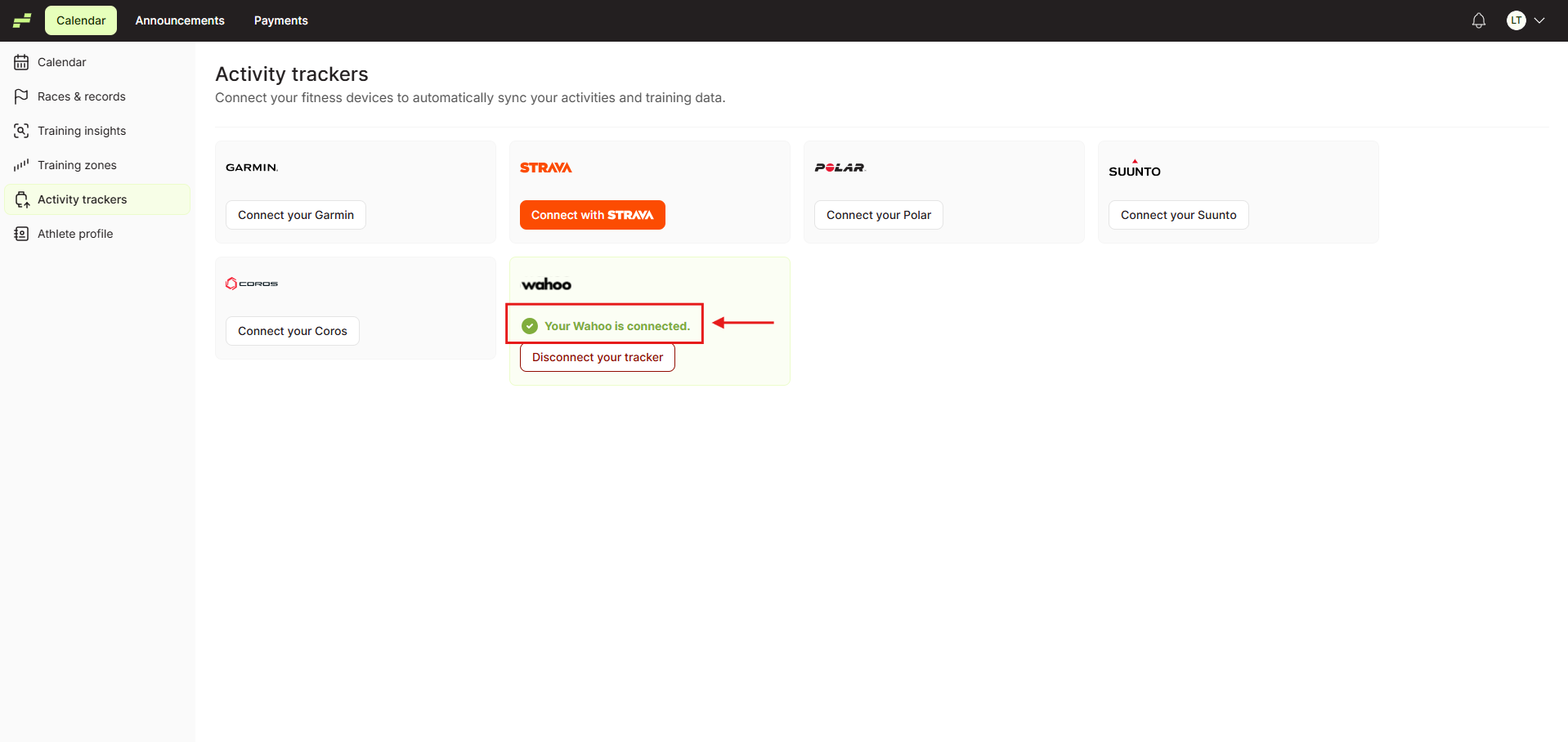
And your Wahoo watch has been connected.
Having an activity tracker feed your training platform and set your thresholds and training zones is crucial in endurance training, not to mention the continuous monitoring, reevaluation, and benefits of all the automated readjustments. Your training program will always be tailor-made for you, with the optimal setup to get you to your goals.
Important Notes About Backfill
Wahoo supports limited backfill and can import approximately 90 recent workouts (typically up to 3 pages of results) when connected.