Athletes can connect their ROUVY account to EndoGusto to automatically sync indoor cycling activities and training data.
Once connected, your ROUVY workouts will be imported into EndoGusto and matched with your training calendar.
This guide explains how to connect ROUVY in a few simple steps.
Connect Your ROUVY Account
Step 1: Go to Activity Trackers
Open EndoGusto and go to:
Calendar → Activity Trackers
Here you will see the list of available integrations.
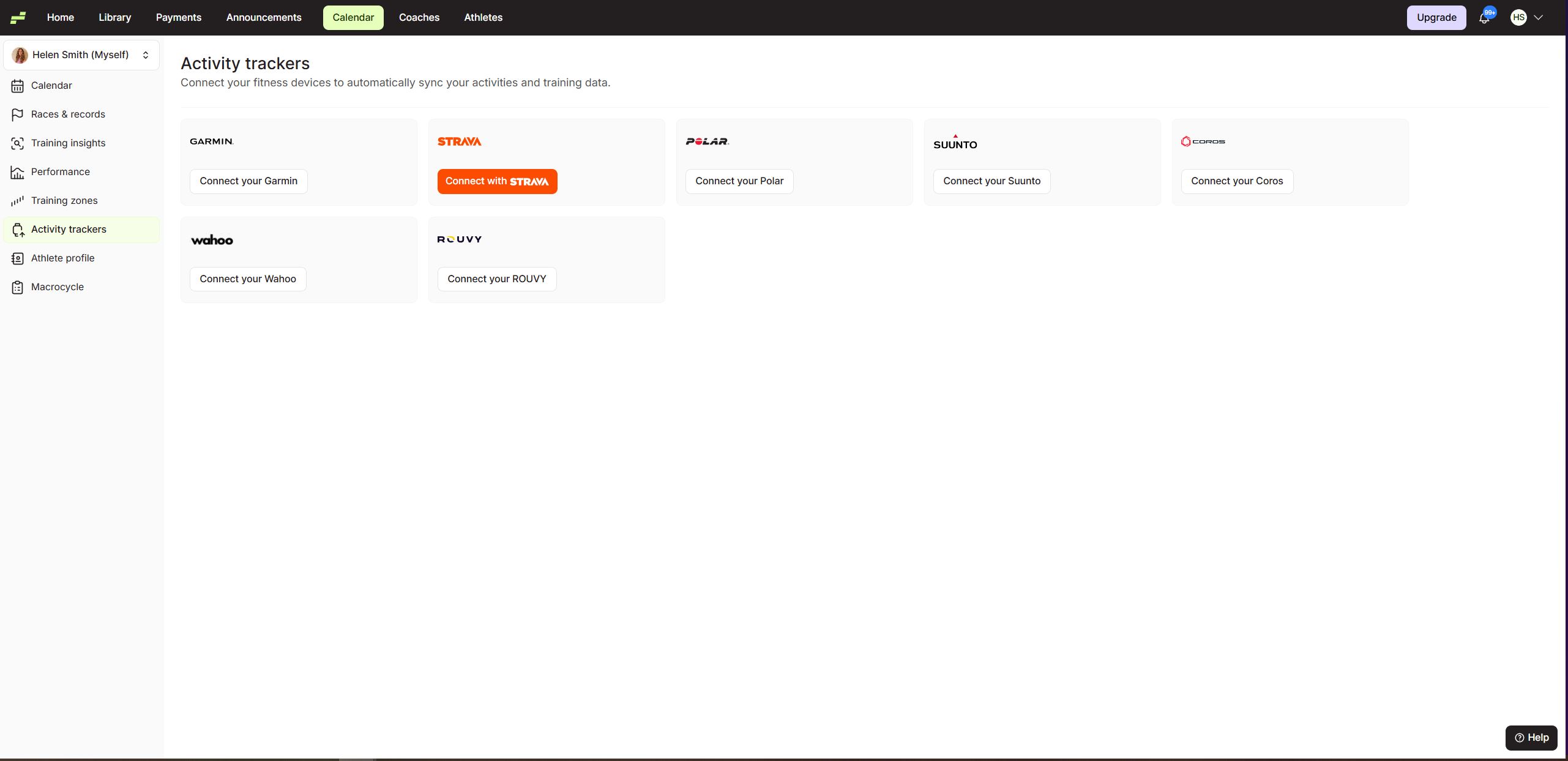
Step 2: Click "Connect your ROUVY"Find ROUVY in the integrations list and click:
Connect your ROUVY
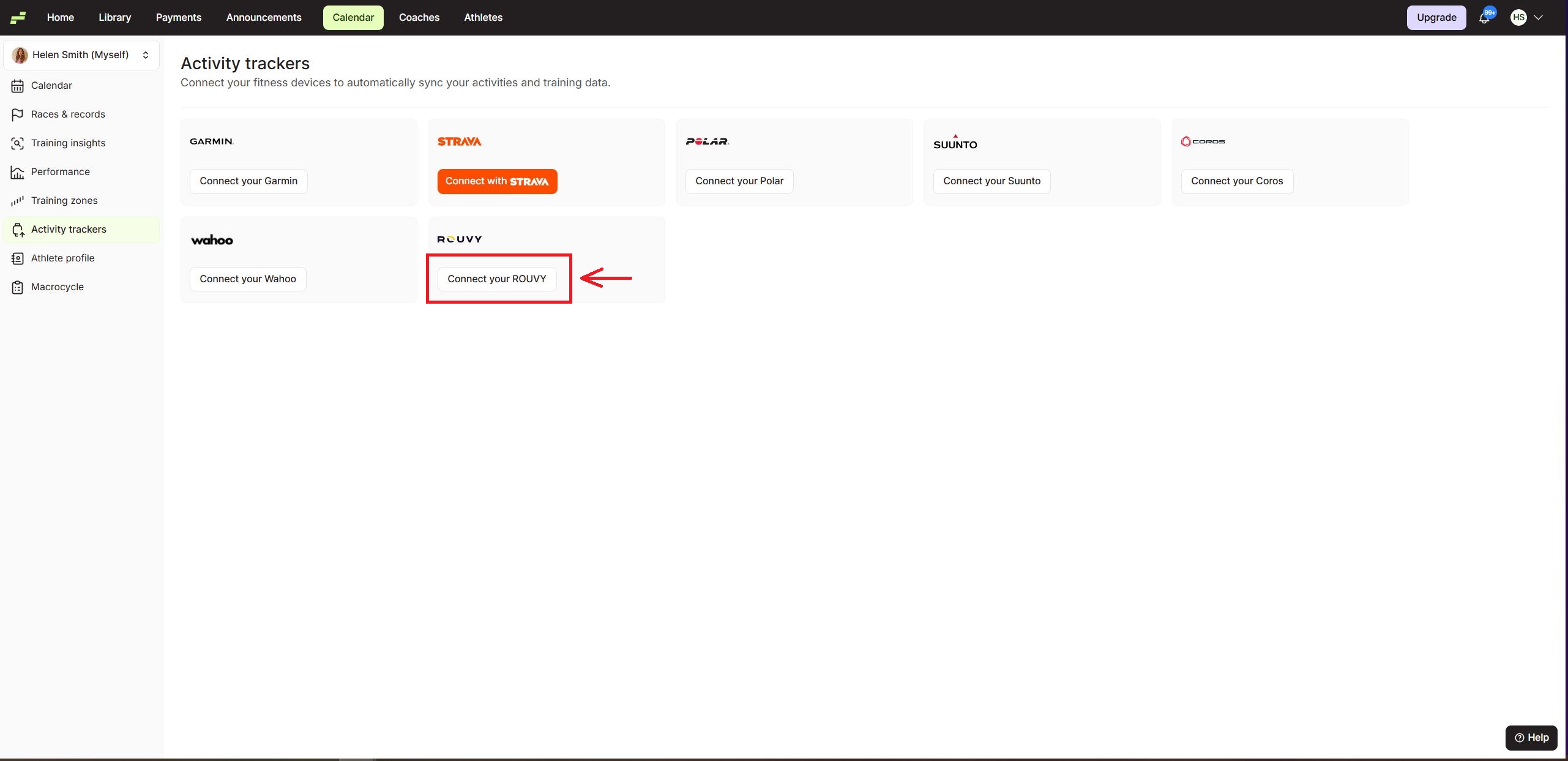
Step 3: Authorize the Connection
You will be redirected to the ROUVY authorization page.
Click Authorize to allow EndoGusto to access your activity data.
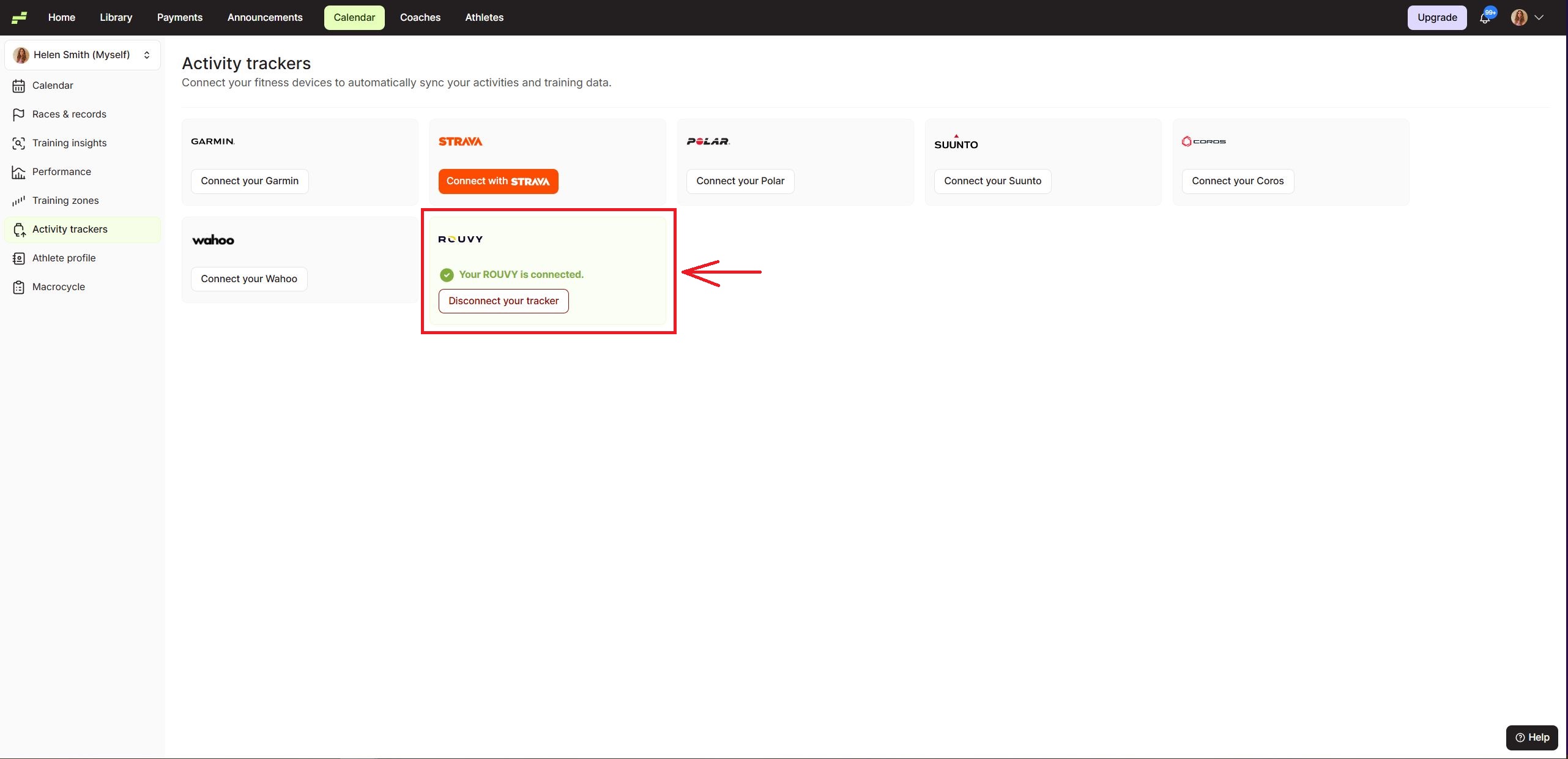
Step 4: Integration Successful
Once the authorization is complete, you will return to EndoGusto and see that your ROUVY account is connected.
You will also have the option to disconnect the tracker if needed.
What Happens After Connecting ROUVY?
After connecting your ROUVY account:
• Your cycling activities will automatically sync with EndoGusto
• Activities will appear in your training calendar
• Training data can be used for performance analysis