
After you finish a session, you can give your coach workout feedback directly on the workout card in EndoGusto. You have two ways to do it: rate the session with RPE and How I felt, and leave a written comment your coach can read and reply to. This feedback helps your coach see how the workout actually went for you, beyond the numbers your tracker records.
This guide walks you through both ways to give feedback on a completed workout.
Rate Your Workout with RPE and How I Felt
Step 1: Open the Completed Workout
From your Calendar, click the workout you've finished. The workout card opens on the Activity tab, marked Completed, showing your planned versus completed stats. Below the stats, you'll see two fields: RPE and How I felt.
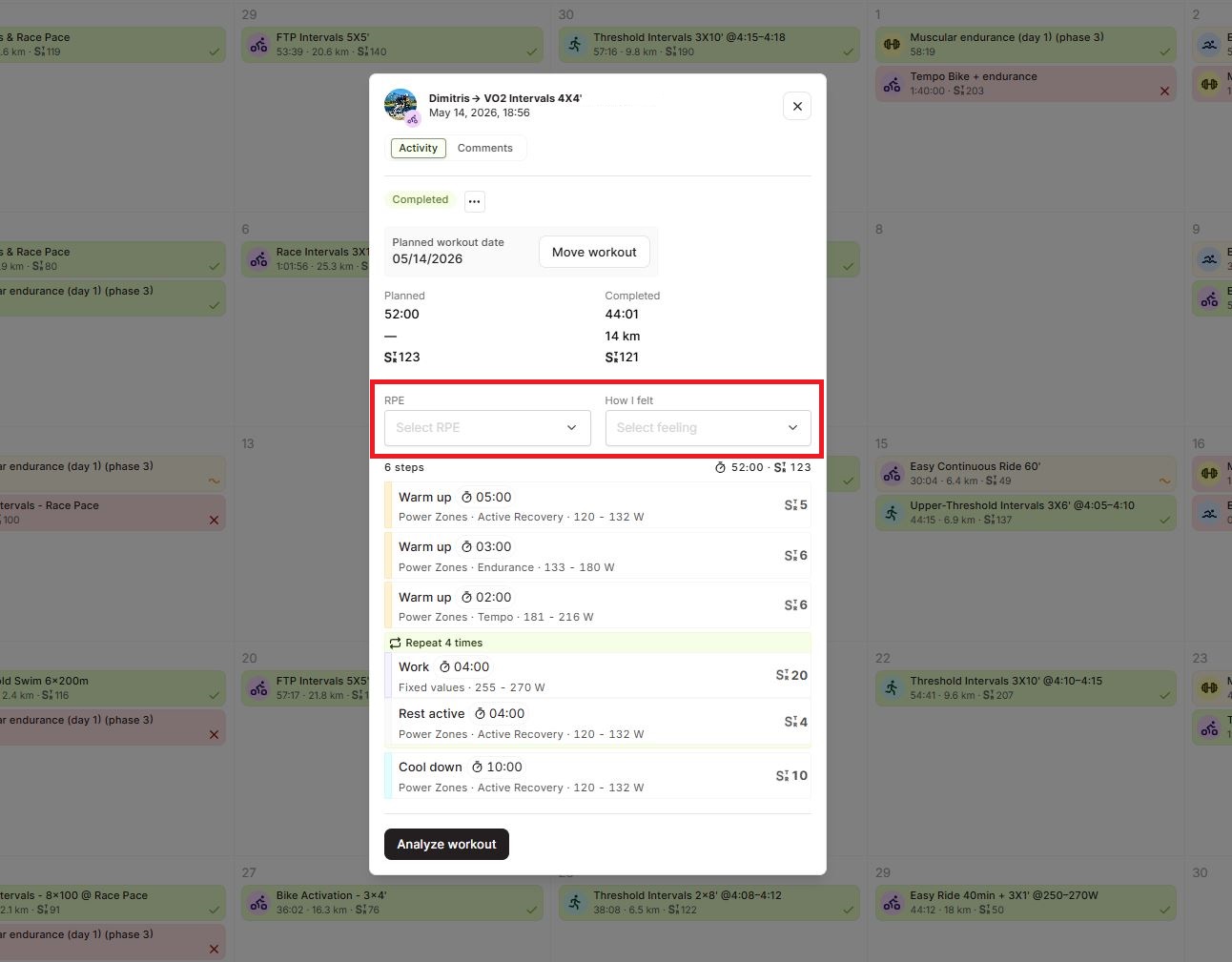
Step 2: Set Your RPE
Click the RPE dropdown, labeled "Select RPE". A list of values from 1 to 10 opens. Select the number that matches how hard the session felt, where 1 is very easy and 10 is maximal effort. Your choice saves to the workout for your coach to see.
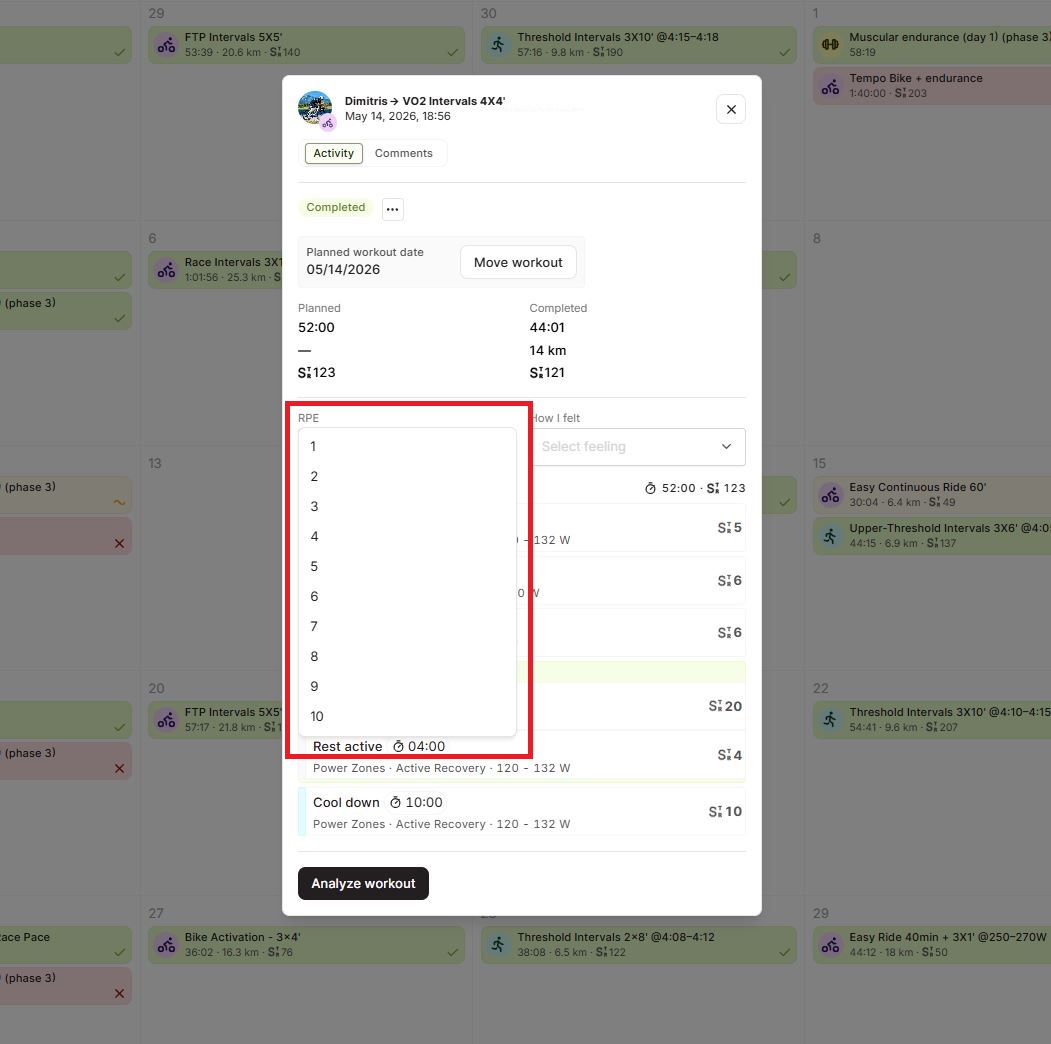
Step 3: Set How You Felt
Click the How I felt dropdown, labeled "Select feeling". Choose the option that best describes your session: Terrible, Poor, Normal, Good, or Great. Like RPE, your selection saves automatically.
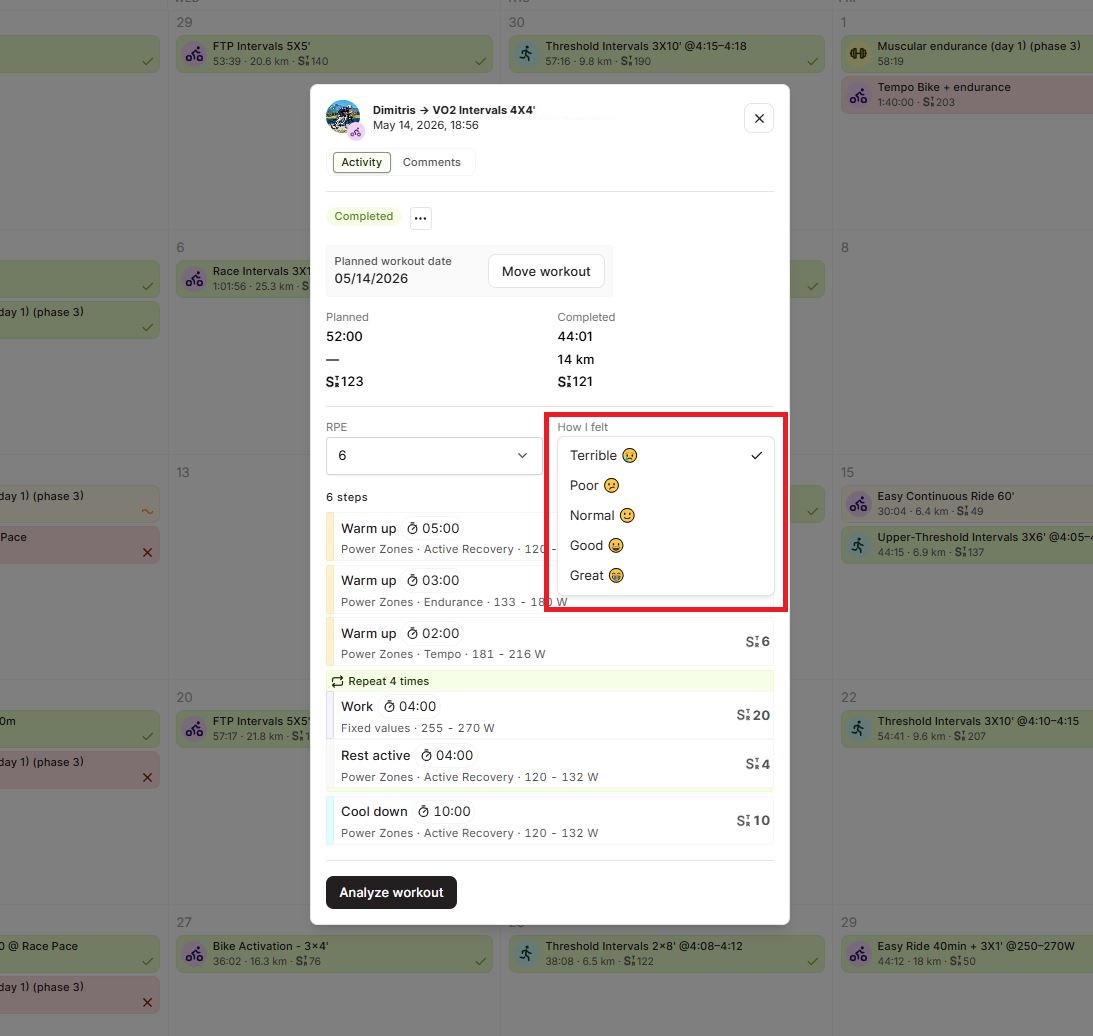
Leave a Comment for Your Coach
Step 4: Write a Comment on the Workout
On the same workout card, click the Comments tab next to Activity. Type your message in the text field at the bottom, then click the send arrow to post it. Your coach sees the comment on the workout and can reply, so you can have a quick back-and-forth about how the session went.
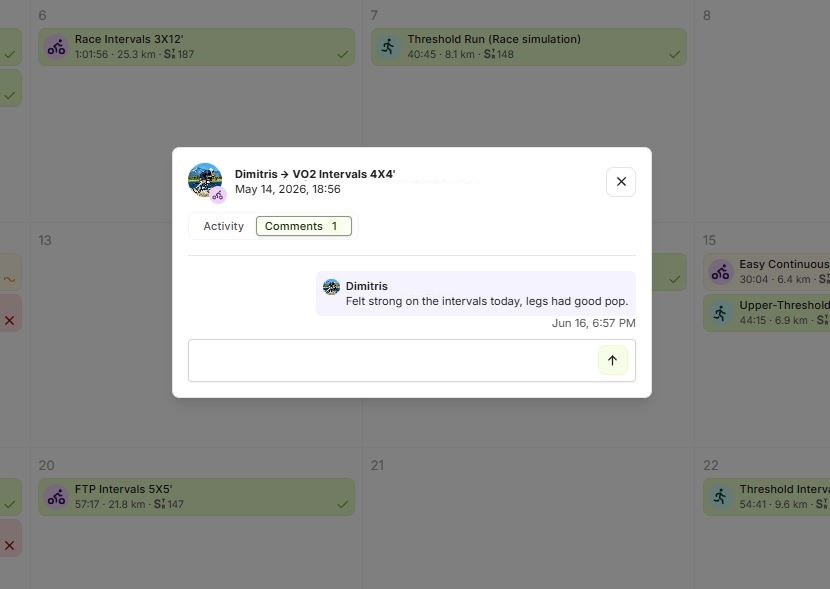
What Happens with Tracker Data
If you already logged your RPE and How I felt in your activity tracker, EndoGusto pulls that information in automatically when the activity syncs. You don't need to enter it again, though you can always open the workout and change either value if you want to.
Tips for Athletes
- Rate every session. RPE and How I felt take two clicks and give your coach context the raw data can't. Over time they help your coach spot patterns in your training.
- Be honest about effort. RPE reflects how hard the session felt to you, not the target. A workout can feel like an 8 even when the numbers say it was easy, and that's exactly what your coach wants to know.
- Use comments for the details. When something specific happens, like a sore knee or a great morning, drop a comment. It's the fastest way to flag something your coach should know about.
- Let your tracker do the work. If you log RPE and feeling in your tracker, EndoGusto fills both in for you on sync, so your feedback is ready before you even open the workout.
Need help? Contact us at Support & Feedback or browse the Knowledge Base.